Tagging and filtering documents
Use free-form tags and the filter bar to slice your vault any way you like.
3 min read · Updated July 13, 2026
A document has just one category, but it can carry as many tags as you like. A tag is any short label, 2025, mortgage, mom, deductible, and tags cut across categories, so you can pull together everything about one project no matter where each document is filed.

Add tags
- 1Open a document (or select several).
- 2In the details panel, type into the Tags field. Existing tags autocomplete.
- 3Press Enter to add each tag. Remove one with the × next to it.
Nest and manage tags
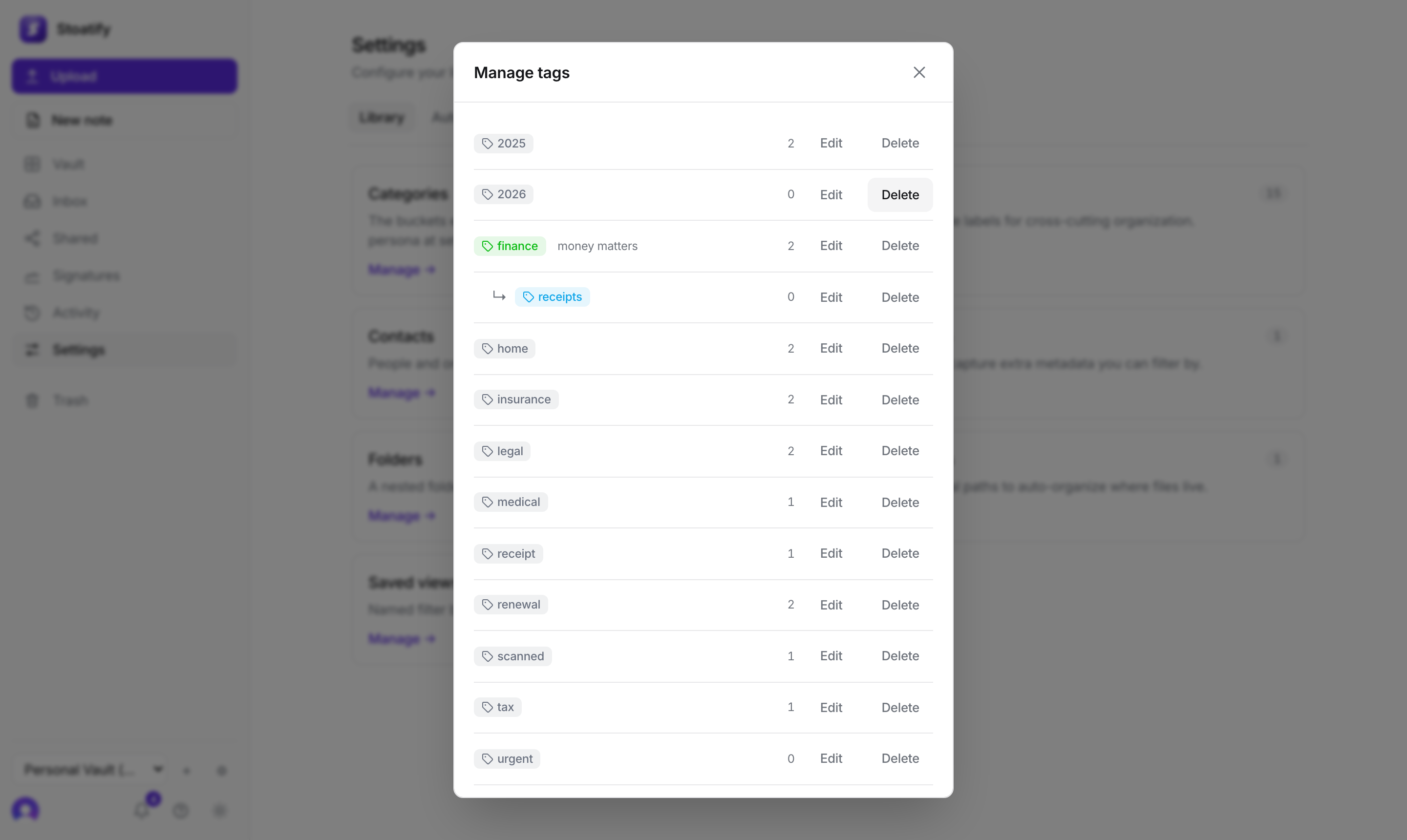
- Give a tag a color and an optional description so its meaning is clear.
- Nest a tag under a parent (say
receiptsunderfinance) to build a light hierarchy. - Manage them in Settings → Library → Tags; deleting a tag frees its documents and moves any nested tags up a level.
Filter and sort
- Use the filter bar to narrow by category, tag, and date at once.
- Sort by date, name, or category, and switch between grid and list.
- Combine filters with search to zero in fast.
Tip
Reach for the same filters often? Save them as a view, see Saved views.
Was this article helpful?
Stoatify sends only this article's route and your Yes or No choice.