Connect an AI assistant over MCP
Give Claude, ChatGPT, or Cursor scoped, revocable access to your vault.
3 min read · Updated June 28, 2026
Stoatify includes a built-in MCP (Model Context Protocol) server, so an AI assistant can securely search, read, and organize your documents through access you grant and can revoke.
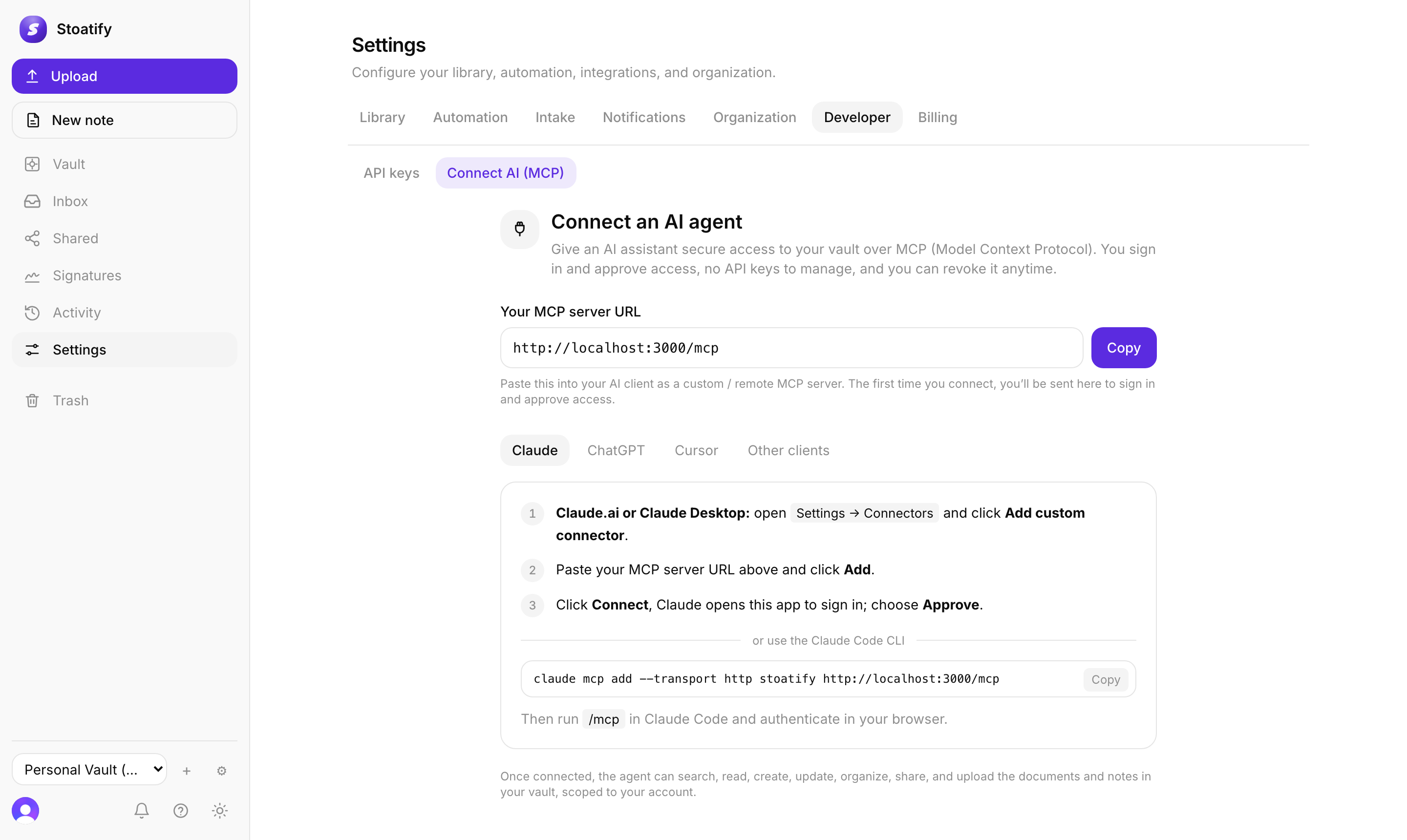
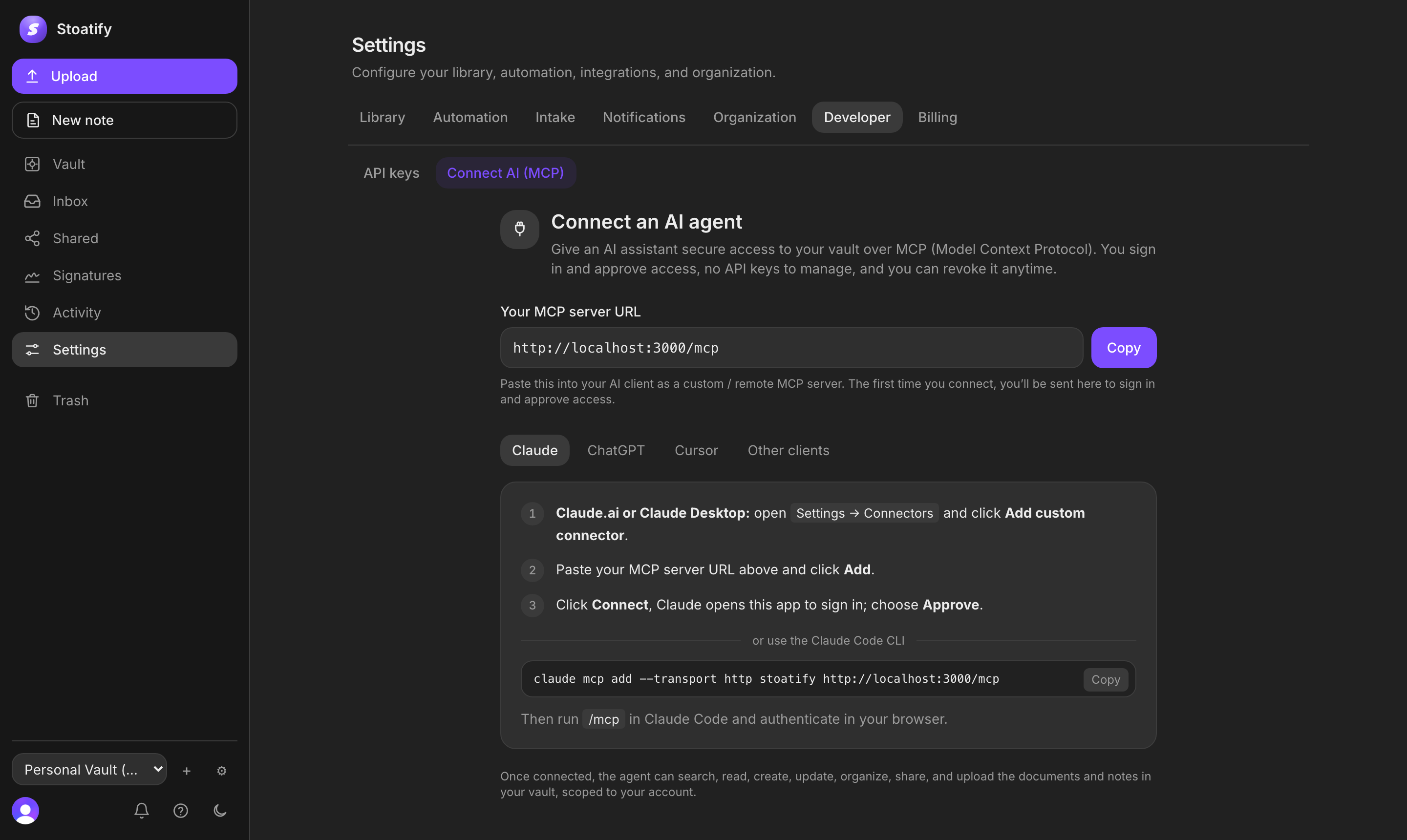
- 1Open Settings → Developer → Connect AI (MCP) and copy your MCP server URL.
- 2Add it as a custom connector in Claude, ChatGPT, or Cursor (or run
claude mcp add --transport http stoatify <url>in the Claude Code CLI). - 3Authorize with OAuth, access is scoped and short-lived.
- Assistants get around forty tools: search, read, upload, organize (categories, tags, folders, contacts, and more), and manage share links, scoped to your account.
- Access is revocable: cut it off and the assistant loses access immediately.
- It respects your permissions: an assistant can never see what you can't.
Good to know
Connecting AI is part of the paid plans (Pro on personal, Team on business). See Plans and what they include.
Was this article helpful?