Set category and tags as you upload
Fill in a document's details in the upload dialog so it lands filed, not in a pile.
3 min read · Updated July 13, 2026
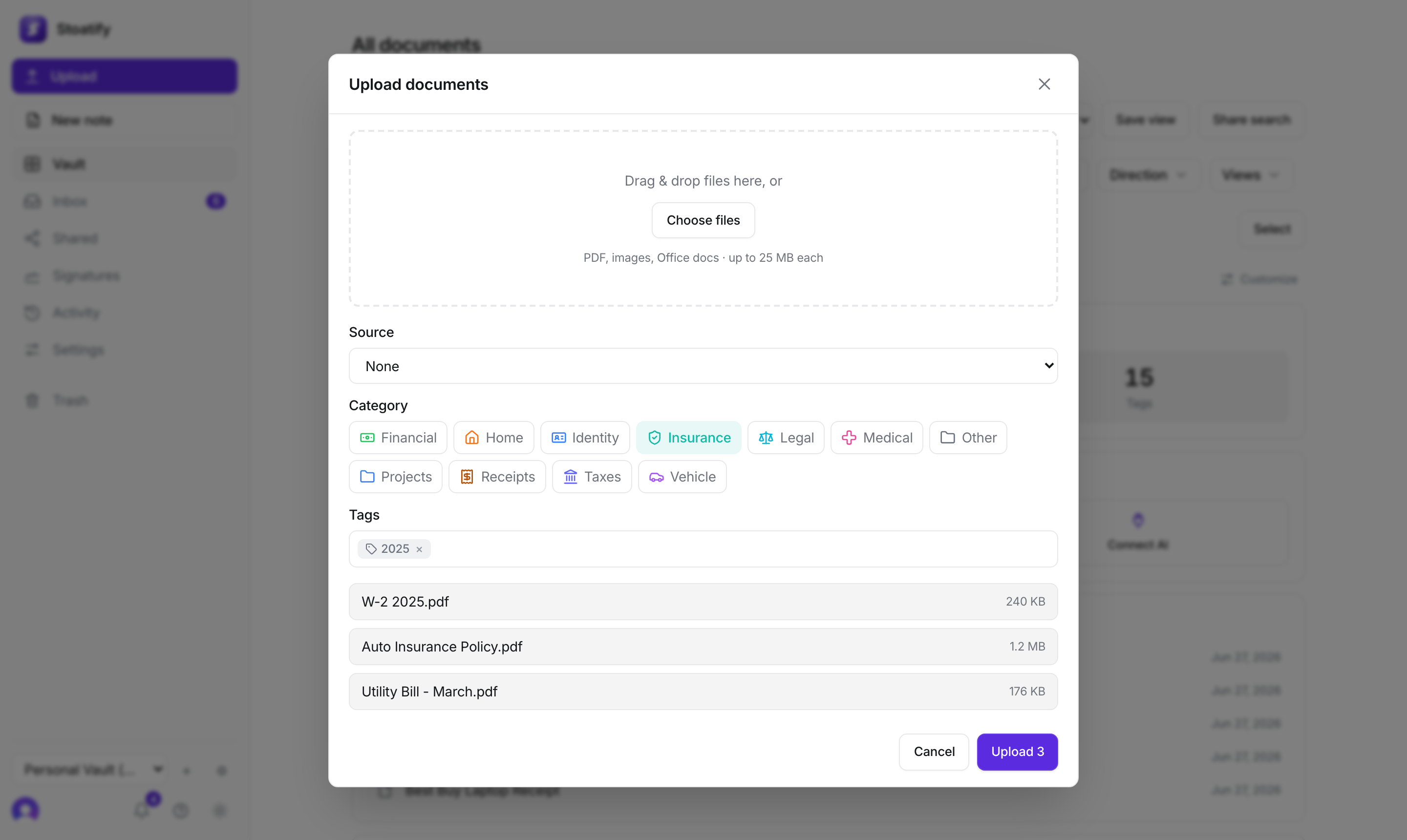
When you add files by hand, the upload dialog lets you set a few details up front so everything you send lands already filed, not waiting to be sorted.
What you can set
- Category. Choose one of your categories for the batch. Leave it and files default to Other, you can always move them later.
- Tags. Add one or more free-form tags. Existing tags autocomplete as you type; press Enter to add each.
Good to know
These details apply to all files in the upload. Want different categories or tags per file? Upload them in separate batches, or set the details afterward from each document's detail panel.
Tip
In a hurry? Skip the fields entirely and just hit Upload. Everything still lands in your vault (as Other, untagged) and OCR still makes it searchable. You can tidy it up later.
Was this article helpful?
Stoatify sends only this article's route and your Yes or No choice.