What is Stoatify?
A secure document platform for personal records, shared work, and organization administration.
3 min read · Updated July 13, 2026
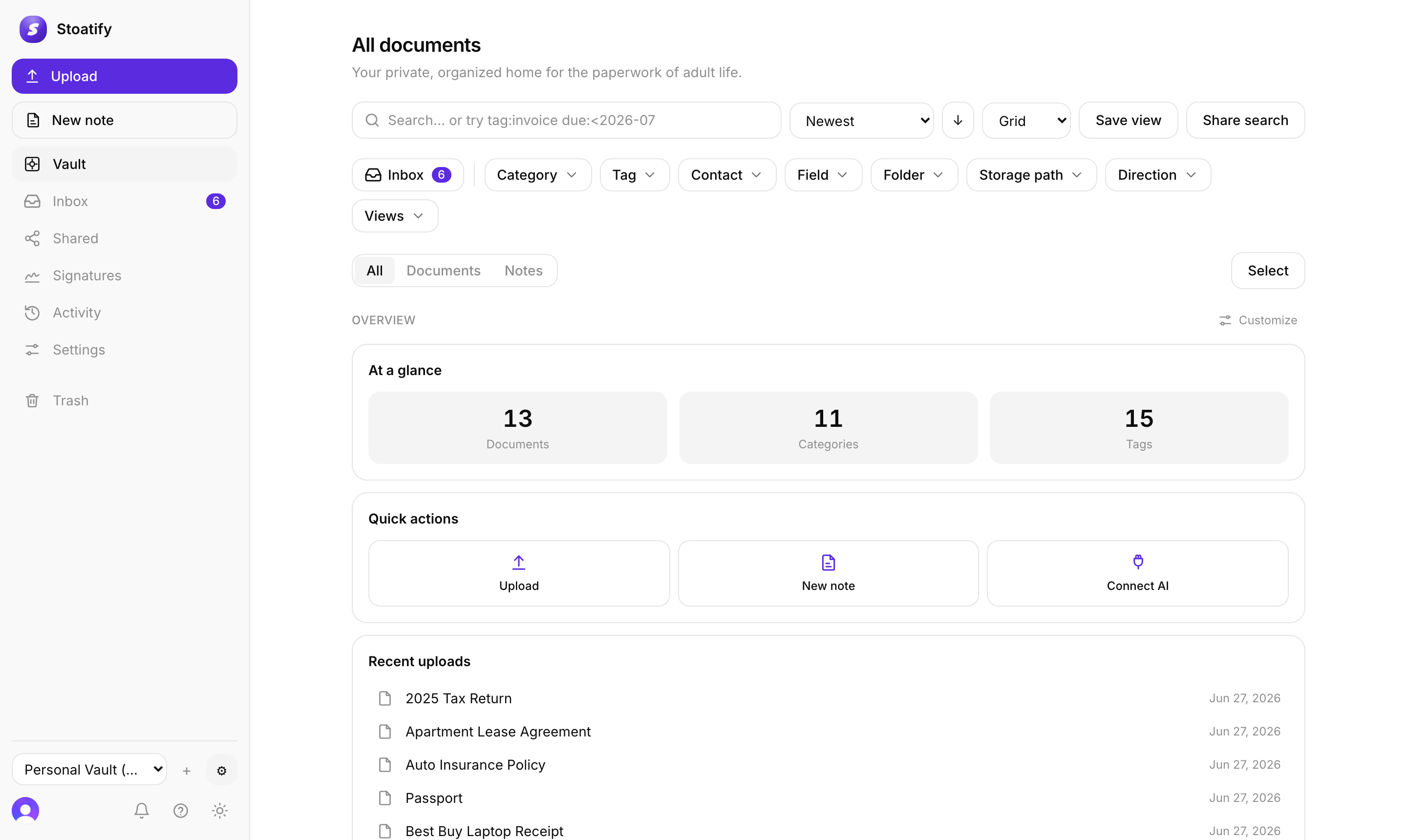
Stoatify is a secure document platform for individuals and organizations. Capture personal records, contracts, invoices, policies, and team files, then organize them with categories and tags, search the text inside, share with precise access, collect e-signatures, and manage the full document history in one place.
Everything lives behind your account. Files never go straight to storage from your browser: every byte flows through the Stoatify API behind your login, so there are no public storage buckets and nothing is exposed by default.
The core ideas
- Categories give every document a clear place. Stoatify seeds a starter set for personal, small-business, or enterprise work, and you can adjust it.
- Tags are free-form labels you add for the way you think.
- Search looks inside your documents, not just at their filenames, because Stoatify reads the text inside them.
- Sharing lets you send a single document, or a whole saved search, as a link with an optional password and expiry.
- Organizations add shared libraries, built-in Owner, Admin, and Member roles, and groups for teams.
The web app is the complete public client. The Flutter clients for iPhone, iPad, and Android are not currently offered for public download. The focused native Mac client implements Vault browsing and search, upload, document preview and download, and Trash management, but is not currently offered for public download.
In the Flutter clients, the main navigation controls are Vault, Notes, Chat, and More, with Add as a separate action. Open More for Signatures, Shared, AI organize, Activity, Trash, Library, Organization, Plan and billing, Appearance, and Account.
Good to know
Build and edit e-signature templates in the web app. In the Flutter clients, open More, then Signatures to send and track submissions. Submission actions include Send a reminder, Void request, Download signed PDF, and Download certificate.
Tip
See Apps and downloads for requirements, client scope, and approved links.
Tip
New here? Start with Create your account, then Upload your first document.
Stoatify sends only this article's route and your Yes or No choice.