Understanding categories
How categories work, and how to use them well.
3 min read · Updated July 13, 2026
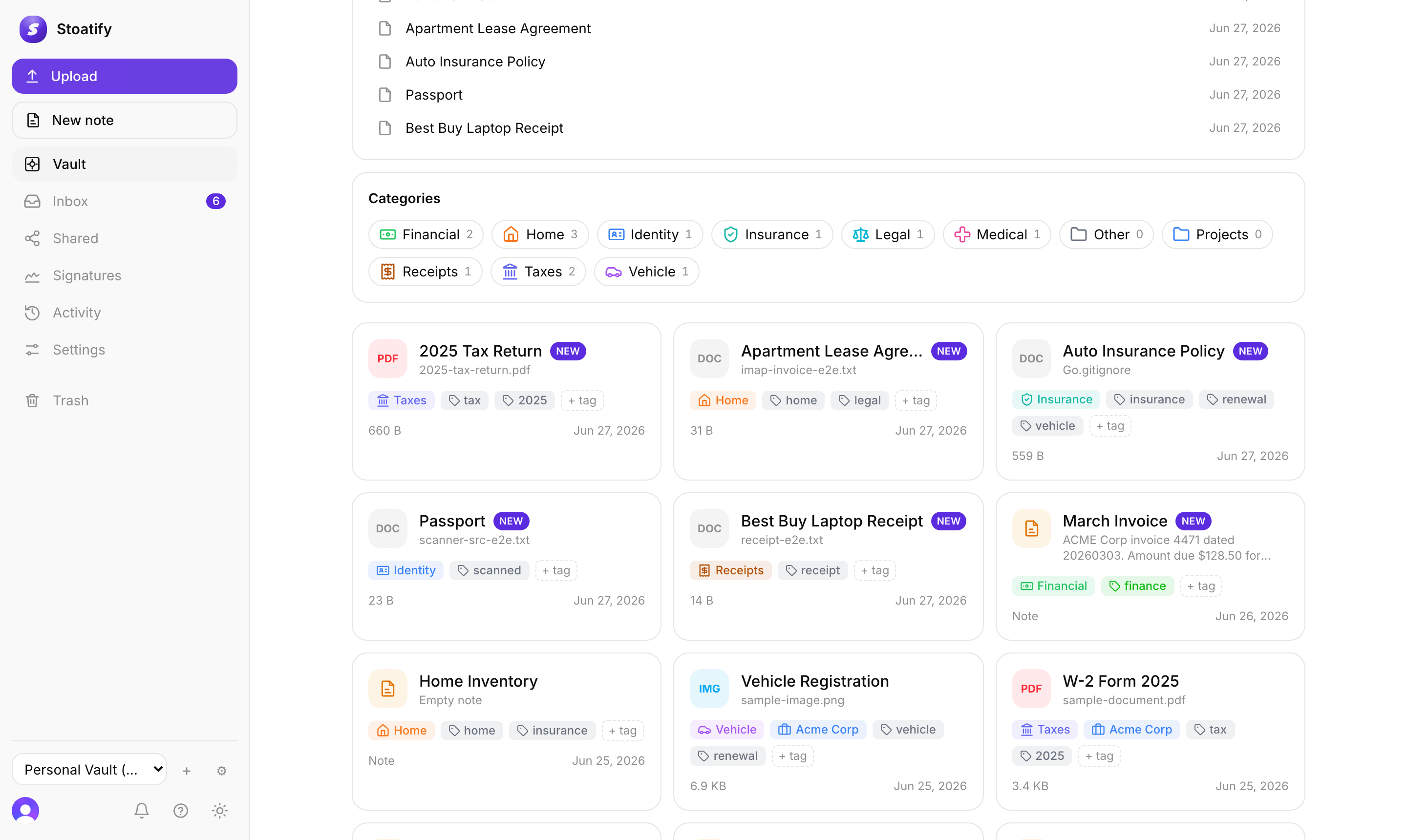
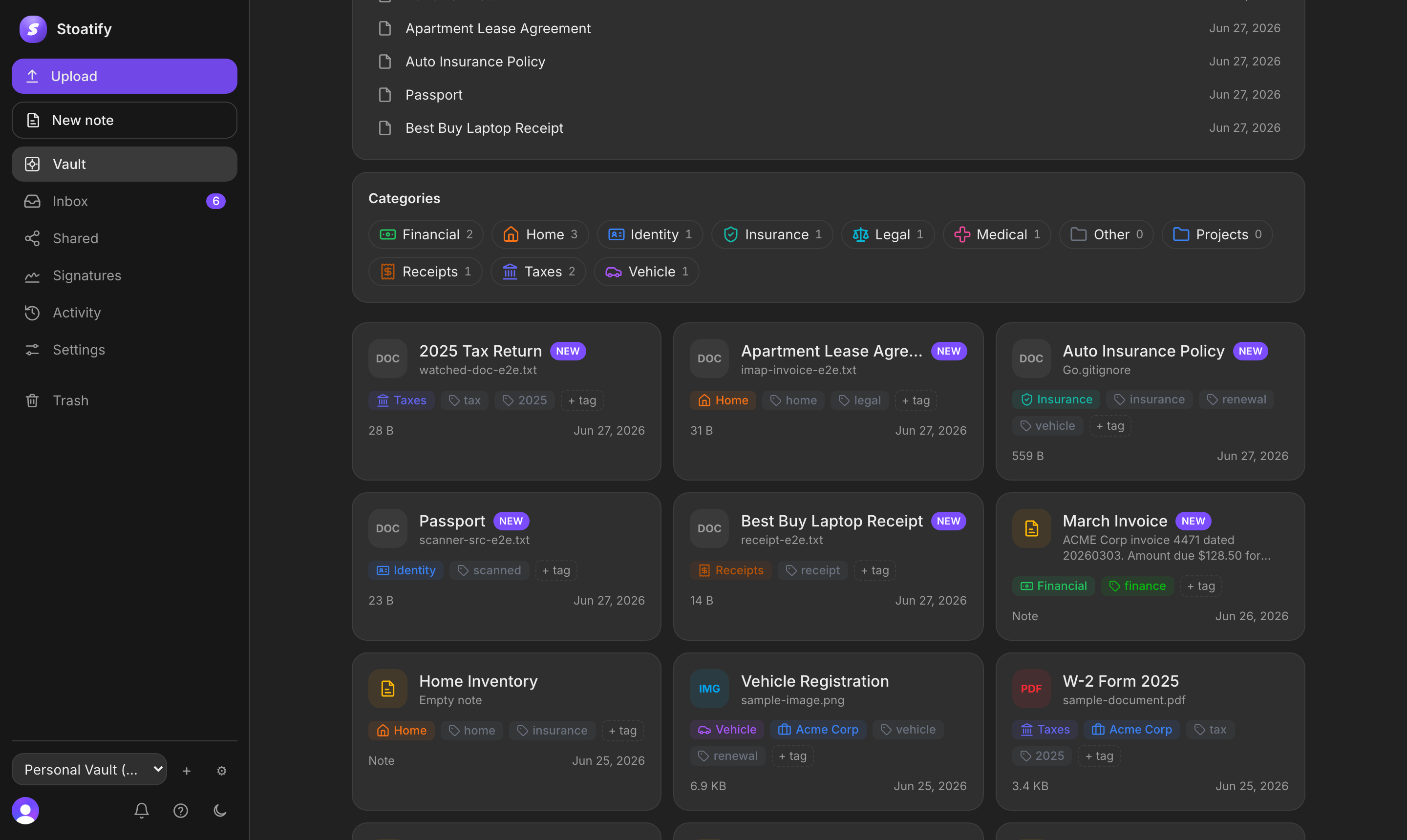
Categories are the top-level buckets your documents are filed under. Stoatify seeds a starter set for personal, small-business, or enterprise work based on the persona you pick at setup, and you can rename, recolor, add, or remove them to match how you organize. Keeping the set small and stable keeps the vault navigable as it grows.
A personal starter set
- Taxes, returns, W-2s, 1099s, receipts you'll deduct.
- Identity, passports, driver's licenses, birth certificates, visas.
- Insurance, policies, cards, claims.
- Medical, records, prescriptions, lab results.
- Financial, bank and brokerage statements, loans.
- Home, leases, mortgage, utilities, appliance manuals.
- Vehicle, titles, registration, service records.
- Receipts, purchases and warranties.
- Legal, contracts, wills, agreements.
- Other, the catch-all, and the default when nothing else fits.
Small-business and enterprise personas start with categories for their work, such as Contracts, Payroll, Compliance, Procurement, Policies, Vendors, and Audits.
For the finer distinctions inside a category, reach for tags. Categories answer *what kind of thing is this*; tags answer *which project, year, or person does it belong to*.
Good to know
Every document belongs to exactly one category. To rename, recolor, add, or remove them, see Manage your categories.
Stoatify sends only this article's route and your Yes or No choice.