Invite your team
Add members by email, assign a role, and understand how seats are billed.
3 min read · Updated July 13, 2026
Bring people into a team organization by inviting them by email. When they accept, they join with the role you picked.
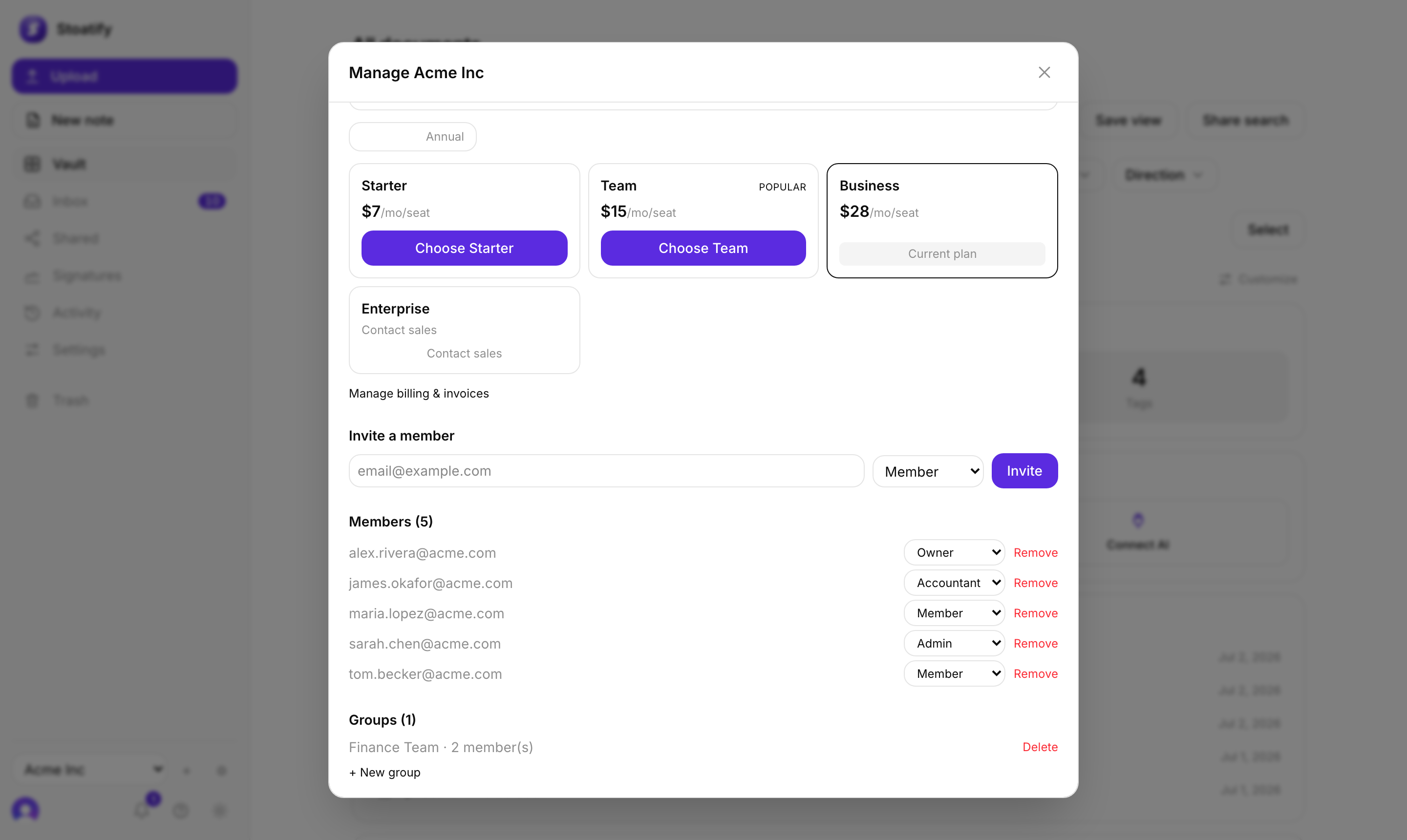
Send an invite
- 1Open your organization settings and find Invite a member.
- 2Enter an email address and choose a built-in role (Owner, Admin, or Member).
- 3Choose Invite. The recipient gets a link to join, valid for a couple of weeks.
- Owners and Admins can invite people and set their role.
- Revoke a pending invite any time before it's accepted.
- To re-send, just create a fresh invite.
Good to know
Team (Business) plans are billed per member (per seat), so your price scales with the size of your org. You can see seat usage on the Plan & billing panel. See Plans and storage limits.
Tip
Bringing in people who need the same access? Bundle them into a group so you grant access by team, not person by person.
Was this article helpful?
Stoatify sends only this article's route and your Yes or No choice.