OCR languages and office formats
25 recognition languages, per-document overrides, office previews, and PDF/A archival.
3 min read · Updated July 13, 2026
Stoatify recognizes text in 25 languages, lets you override the language per document, renders office files to previews you can read inline, and can keep an archival copy of anything for the long term.
Recognition languages
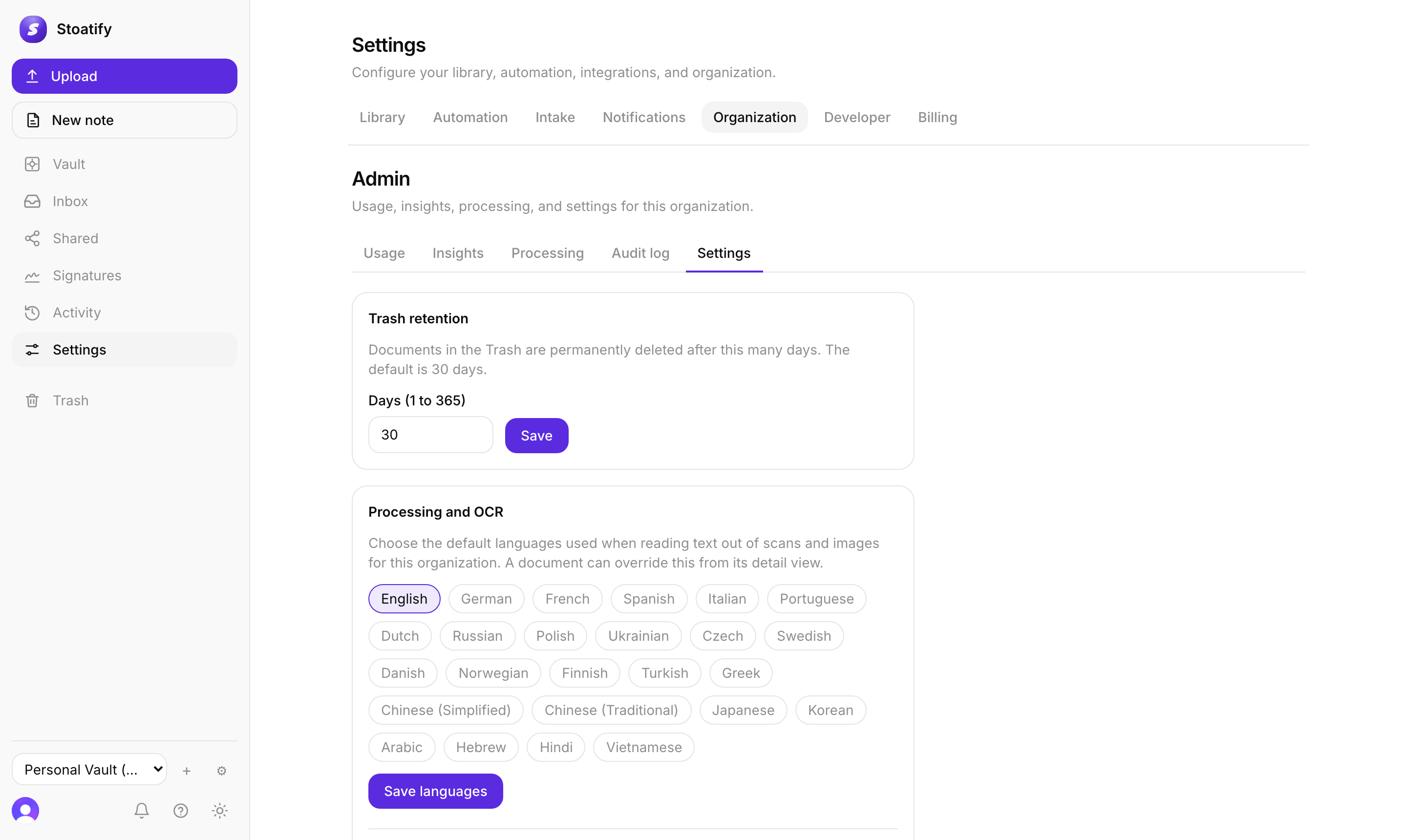
OCR ships with 25 language packs, from English, German, French, Spanish, and the rest of Western Europe, through Russian, Polish, Ukrainian, and Greek, to Chinese (Simplified and Traditional), Japanese, Korean, Arabic, Hebrew, Hindi, and Vietnamese.
- 1Set one or more default languages for the whole organization in Settings, under Processing and OCR.
- 2Override per document from its detail view when a file is in another language, and Stoatify re-reads it.
- 3Select more than one language at once to read a bilingual document.
Office and OpenDocument previews
- Word, Excel, PowerPoint, and OpenDocument (ODT, ODS, ODP) files are rendered to a clean PDF preview you can view inline.
- The text from that preview is indexed, so office files are searchable too.
Archival copies
You can keep a PDF/A copy of eligible PDFs and office documents for long-term preservation. PDF/A is a self-contained, standards-based format designed to preserve a document's visual appearance over time. See Create and download PDF/A archival copies.
Good to know
Core OCR, including multiple languages, is free on every plan and runs inside Stoatify. Office rendering and PDF/A archival start with Personal Pro and Business Team. See Plans and storage limits.
Stoatify sends only this article's route and your Yes or No choice.